
Every card, tracked.
A free deck tracker for MARVEL SNAP on Windows. An overlay beside the board, your record under your deck, every match in a dashboard.
Lytra runs on a Windows PC for now: download it there. Android is one of our goals.
v0.1.9 · Windows 10 & 11 · Free
- FreeNo ads, no trial.
- No accountInstall it and play.
- Nothing leaves your PCEvery match stays local.
- Updates itselfNew versions from GitHub.
Features
Beside the board, all match long.
01
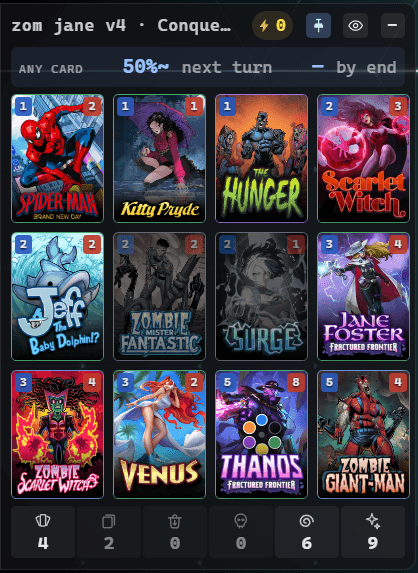
Your deck, live
What is left in your deck, what you drew and what you played, card by card. And your odds of drawing what you still need.
17% next turn·50% by end
02
Your opponent's cards, as they play them
Each card they reveal appears in a panel on their side. Only what they play: never their hand, their deck or their draws.
Shown
The cards they reveal
Never
- Their hand
- Their deck
- Their draws
03
Your record, under your deck
W / L / T, win rate and cubes for the exact twelve cards you are playing, lifetime or this session.
under the deck · zom jane v4
LifetimeThis session
04
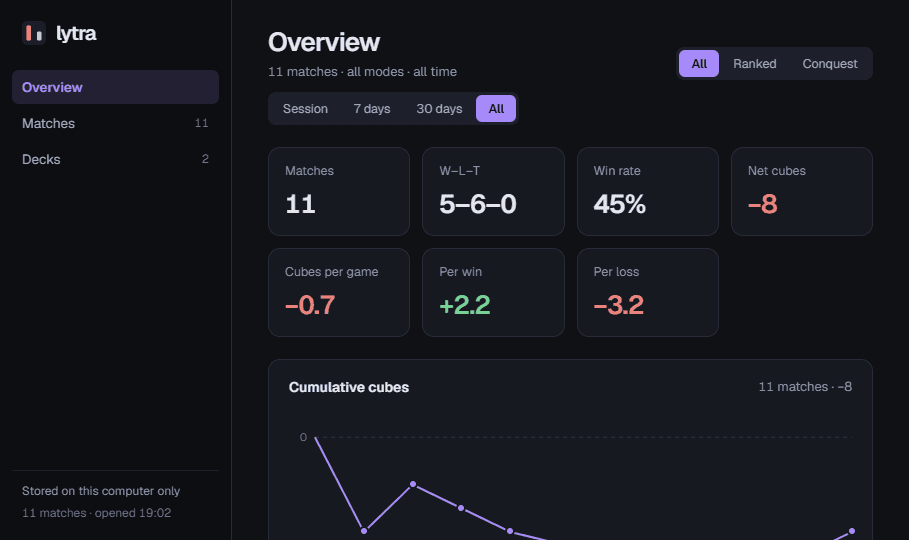
The dashboard
Every match, your decks, and how each card does in them. It opens in your browser.
05
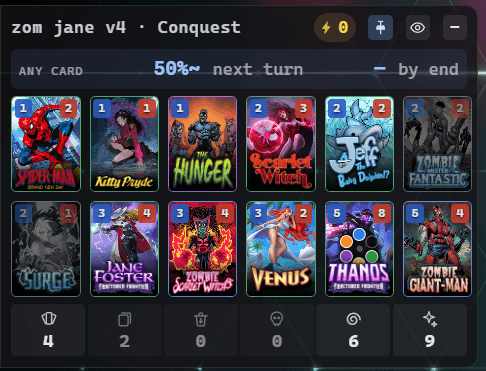
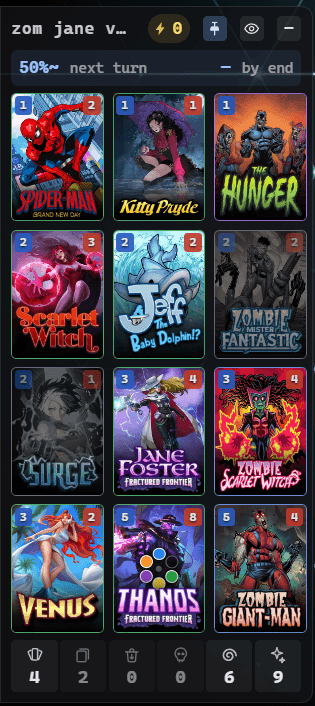
Fits your screen
Three grids, 4 × 3, 3 × 4 and 6 × 2, and three sizes. Switch between them from the tray.
SmallNormalLarge
Privacy
What Lytra reads.
On your PC only, it reads
- the game's log
- the state files the game writes
- the game's memory, while the game runs
It only reads
- It injects nothing.
- It changes nothing.
- It automates nothing.
It shows only what the game already shows you.
What leaves your PC
Nothing about you.
Its one connection is to GitHub, to check for updates. There is no account.
Install
Three steps.
- 1Download the installerThe file ends in
-setup.exe. - 2Get past the Windows warningWindows may say it “protected your PC”, because the installer is not signed yet. Choose More info, then Run anyway.
- 3Open MARVEL SNAPLytra finds the game, and the overlay appears.
FAQ
Before you install.
Is it free?
Yes. Lytra is free to download and use, with no account to create.
Is it allowed?
Lytra is unofficial, and the game's terms may restrict third-party tools that read it. Whether to use it is your call and your risk.
Does it see my opponent's hand?
No. It shows the cards your opponent plays, once the game reveals them. Never their hand, their deck or their draws.
Does it work on Mac or phone?
Not yet. Today Lytra runs on a Windows PC only, Windows 10 or 11, next to the PC version of MARVEL SNAP. Bringing it to Android is one of our goals.
Where is my data?
On your PC. Every match is stored there and never uploaded. The dashboard reads it from there, in your browser.
Feedback
Tell us what you think.
Lytra is early. What you tell us decides what comes next.